Free template
Blue Slideshow Background Presentation Template with Geometric Layouts
This blue slideshow background template gives you presentation slides with the design work done: a textured, paper-like surface with overlapping circles and squares in light sky blue and deep cobalt. The eight-slide sequence opens with an "Ideas in Blue" cover, then adds a three-point icon list, a section opener with a layered paper landscape and a two-column Clarity versus Expression comparison. The second half adds a large quotation slide, an illustrative Q1 to Q4 bar chart with a highlighted +45 pts callout, a four-step Discover, Define, Develop and Deliver timeline, and a thank-you slide with email, website and contact icons. Titles pair navy text with one bright blue keyword, while the geometric shapes stay near the edges so body text keeps strong contrast. It is a 16:9 PowerPoint presentation template whose text, chart and icons are native objects, so the PPT can be edited directly or converted for Google Slides. Names, figures and contact details are generic examples to replace.
Need content rather than a background? Try Deckgist's AI presentation maker to turn meeting notes, briefs, or PDFs into structured, editable presentations.
Create a presentation with AI
Enter a topic or upload reference files, then choose a theme to create a new presentation.
Create with a theme
Enter a topic or upload reference files, then choose a theme to create a new presentation.
Supports documents, PDFs, PPTs, and text files
Generate an editable presentation
AI organizes your content and completes the layout
No topic or upload needed
No topic or upload needed
What’s included
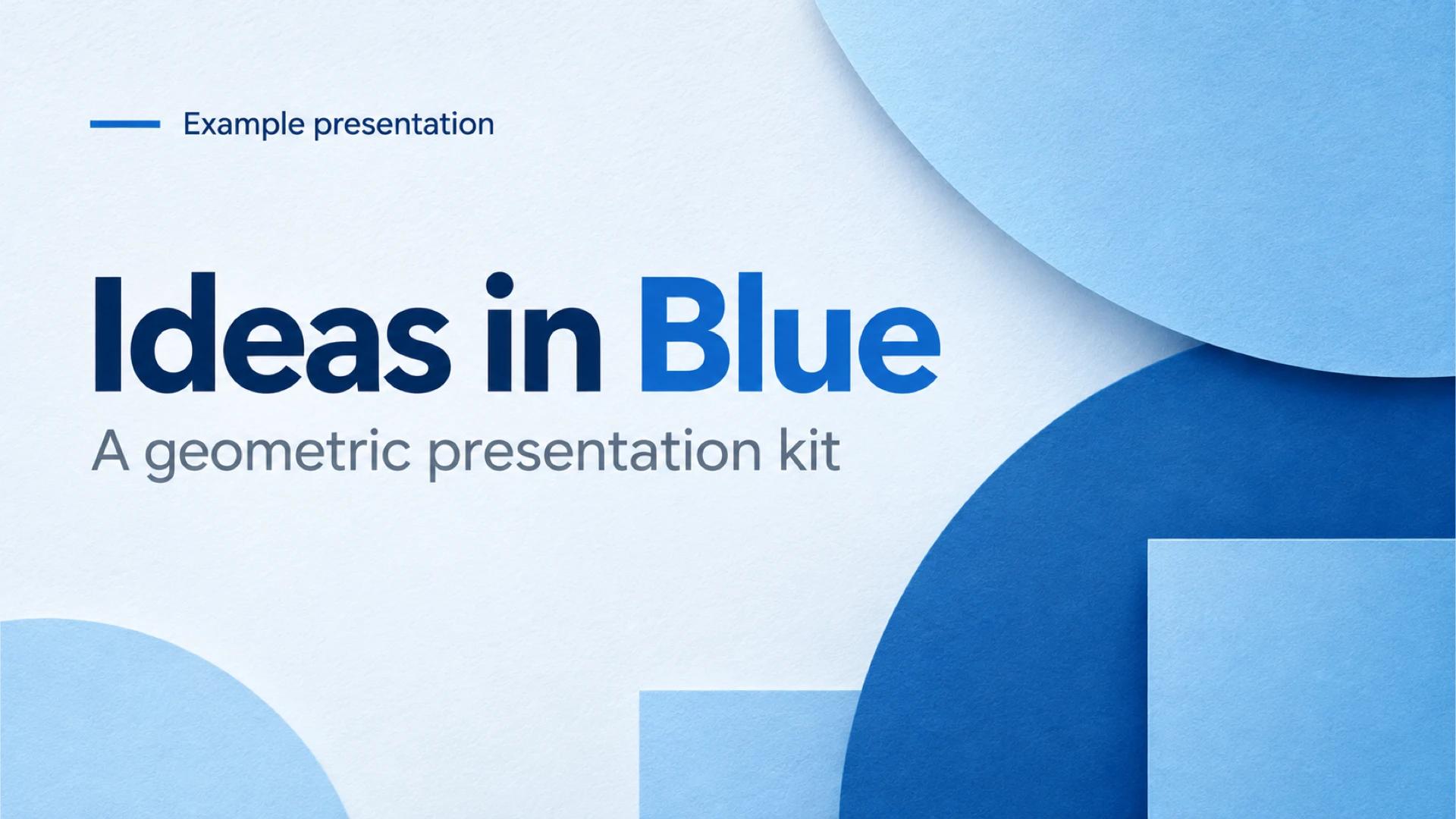
Ideas in Blue cover slide
Cover slide titled Ideas in Blue with a geometric presentation kit subtitle over light and deep blue paper-style circles and squares.
Show full textCollapse
A clearer way to communicate
List slide with three short points, each with a line icon: focus on the essential, structure ideas with intention and make every message memorable.
Show full textCollapse
A fresh perspective section opener
Section opener with a large two-tone title, a short subtitle and a layered paper landscape in blue tones with a pale sun.
Show full textCollapse
Two sides of an idea comparison
Two-column comparison of Clarity and Expression, each with an icon and three checked points, separated by a thin divider.
Show full textCollapse
Simplicity creates impact quote slide
Quotation slide with a large title, a circular quote-mark badge and an italic example quote attributed to a fictional design director.
Show full textCollapse
Progress at a glance bar chart
Illustrative bar chart of message clarity across Q1 to Q4 with values from 25 to 70 points and a +45 pts callout on a deep blue circle.
Show full textCollapse
From idea to action timeline
Four-step horizontal timeline with Discover, Define, Develop and Deliver, each with an icon badge, short caption and week label.
Show full textCollapse
Thank you closing slide
Closing slide with a Thank you title, a short closing line and three example contact items with email, globe and calendar icons.
Show full textCollapse
Best for
- Opening a business or classroom presentation with a blue cover slide
- Comparing two ideas, options or approaches in a two-column layout
- Showing a short quarterly progress update with a simple bar chart
- Outlining a four-step project plan or workshop timeline
- Pulling out a key quotation or principle between sections
Who this template is for
- Teachers and trainers building lesson or workshop slides
- Marketing and communications teams
- Project managers outlining plans and phases
- Students preparing class presentations
- Consultants and small-business owners
Features of this template+
- Textured paper-style backgrounds with overlapping light and deep blue circles and squares kept near the slide edges
- Eight layouts in one sequence: cover, list, section opener, comparison, quote, bar chart, timeline and thank-you
- Native editable bar chart with Q1 to Q4 values and a highlighted +45 pts callout
- Navy titles with one bright blue keyword and soft round icon badges for clear visual hierarchy
- Four-step timeline with milestone dots, short captions and week labels built from editable shapes
- 16:9 PowerPoint file that can be converted for Google Slides