Free template
Education Presentation Template for Program Overviews with Morph Transitions
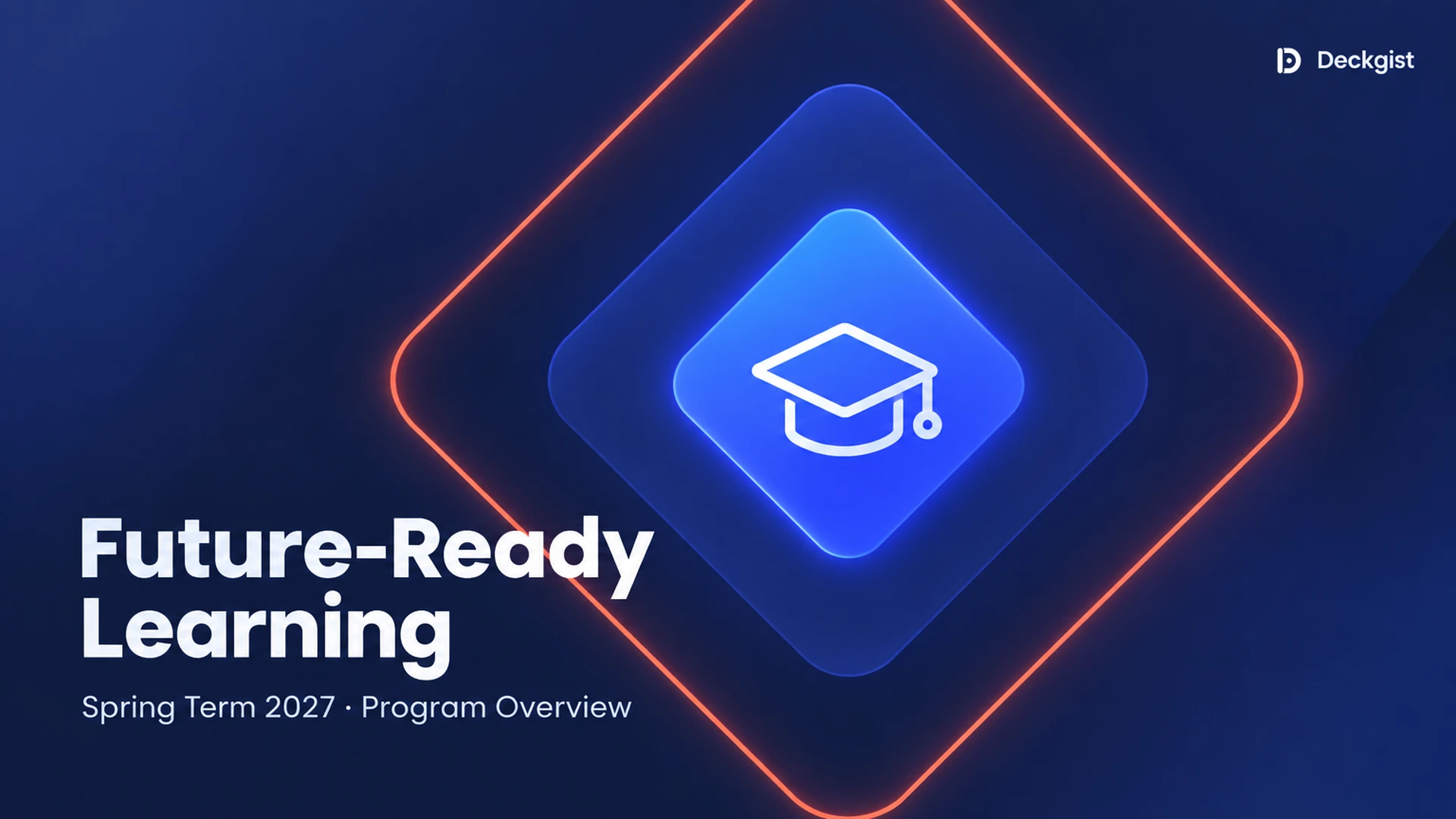
This education presentation template helps teachers, school leaders and course teams introduce a learning program from first impression to results. The 10-slide PowerPoint deck opens on a glowing graduation-cap tile inside a coral neon diamond, then an About the Program slide pairs a student photo card with an example fact panel. A contents hub of five numbered pills returns between chapters, highlighting the next one: Why It Matters with three icon bullets and a neon question mark, Learning Goals as six skills orbiting a circle, and Teaching Method as four pointed columns for Explore, Practice, Create and Reflect. The Outcomes slide shows three result pillars labeled as illustrative data before the closing slide returns to the cover geometry. Native PowerPoint Morph transitions carry the tiles, pills and panels between slides and need a PowerPoint version that supports Morph. The PPT file can also be converted to Google Slides, where the layouts remain but Morph motion is not preserved.
Explore Deckgist's AI presentation maker to turn curriculum outlines or course handbooks into structured, editable presentations for classes and program reviews.
Create a presentation with AI
Enter a topic or upload reference files, then choose a theme to create a new presentation.
Create with a theme
Enter a topic or upload reference files, then choose a theme to create a new presentation.
Supports documents, PDFs, PPTs, and text files
Generate an editable presentation
AI organizes your content and completes the layout
No topic or upload needed
No topic or upload needed
What’s included
Future-Ready Learning program cover
Cover slide introducing a learning program overview, with a glowing graduation-cap tile inside layered diamond frames and the title at lower left.
Show full textCollapse
About the Program
Program overview slide describing a 12-week blended course for Grades 7–9, with a photo of students and a fact panel marked as an example scenario.
Show full textCollapse
Contents: Why It Matters highlighted
Contents hub listing five chapters as numbered pill buttons, with the first chapter, Why It Matters, highlighted.
Show full textCollapse
Why It Matters: learning has to keep up
Chapter slide explaining why the program matters, with three short reasons and a large coral neon question mark.
Show full textCollapse
Contents: Learning Goals highlighted
Return to the contents hub with the second chapter, Learning Goals, highlighted to introduce the next section.
Learning Goals: 6 core skills
Learning goals slide showing six core skills as icon nodes arranged around a central circle, with a vertical chapter tab.
Show full textCollapse
Contents: Teaching Method highlighted
Contents hub shown again with the third chapter, Teaching Method, highlighted.
Teaching Method: four steps every week
Teaching method slide presenting a weekly four-step routine as pointed columns with icon badges and coral step numbers.
Show full textCollapse
Show all 10 slides
Outcomes: pilot class results
Outcomes slide showing illustrative pilot class results for attendance, projects completed and satisfaction on three pointed pillars.
Show full textCollapse
Let's Learn Together closing slide
Closing slide that returns to the cover geometry with a call to action and next steps for enrolling, piloting and reviewing.
Show full textCollapse
Best for
- Introduce a new term-long or blended course to students and parents
- Present a school program overview to administrators or a board
- Walk teachers through learning goals and a weekly teaching routine
- Share pilot class results when proposing to expand a program
- Open an enrollment or orientation session with a chaptered agenda
Who this template is for
- K-12 teachers
- School administrators and principals
- Curriculum coordinators
- Course designers and instructional teams
- EdTech program managers
Features of this template+
- Native PowerPoint Morph transitions that grow the cover tile into a photo card and turn panels into columns and result pillars
- Recurring contents hub with five numbered pill buttons that highlights each upcoming chapter
- Learning goals slide with six skill nodes orbiting a central 6 core skills circle
- Four-step teaching method and three-pillar outcomes slides with coral numbers on frosted columns
- Midnight-indigo backgrounds with cobalt glow, coral neon outlines and bold geometric headings
- Editable 16:9 PPT slides that can be converted to Google Slides, with Morph playback limited to supporting PowerPoint versions