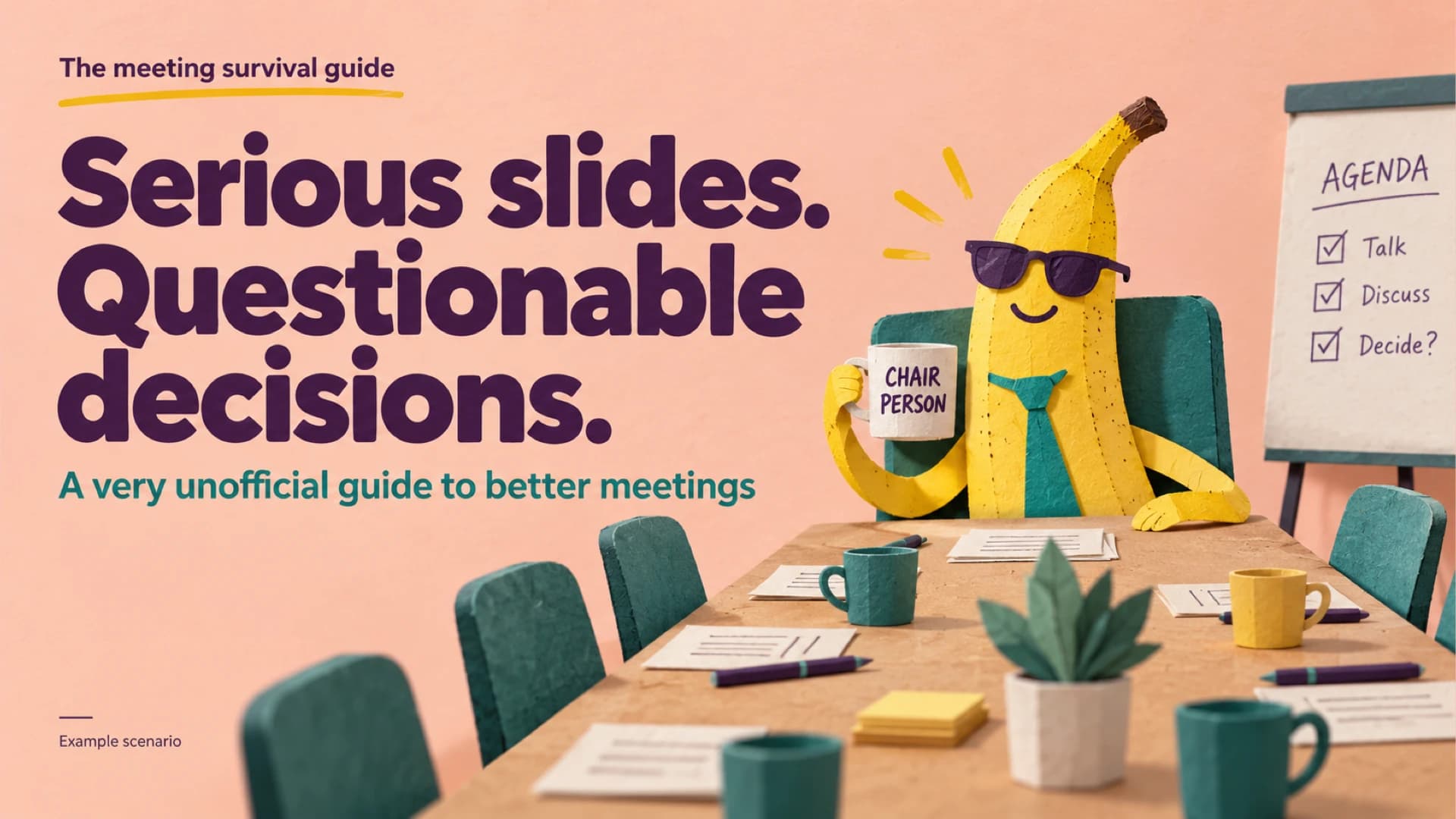
Funny presentation cover with a paper-cut banana chairperson in sunglasses holding a Chair Person mug at a meeting table beside an agenda flipchart
Slide 1: The meeting survival guide cover

Free template

Funny Presentation Template: A Banana-Led Meeting Survival Guide

This funny presentation turns a familiar workplace problem, meetings that run long and decide little, into an eight-slide deck that gets a laugh and still ends with a plan. Framed as “The meeting survival guide,” it opens with a banana chairperson in sunglasses, then a tongue-in-cheek bar chart of one fictional meeting: 45% finding the mute button, 30% saying “quick question,” 25% actual decisions. A cast slide introduces The Optimist, The Historian and The Closer, a before/after card set rewrites vague phrases into owners and deadlines, and a three-step escape plan reads: name the decision, give it an owner, end on time. A 60-versus-30-minute column chart, an owner-and-weekday action list and a “You may now unmute” closing slide complete the slide deck. Paper-cut banana illustrations, peach backgrounds, bold plum headlines and teal and yellow accents keep every page consistent. Team leads and trainers can download the PPT file for PowerPoint or open it in Google Slides, replacing the illustrative data with their own.

Explore Deckgist's AI presentation generator to turn workshop notes or meeting minutes into a structured, editable presentation on any lighthearted topic.

Or use the template directly

No topic or upload needed

Format

16:9

Style

Illustration

Slides

8 slides

Category
Business

What’s included

01

The meeting survival guide cover

Cover slide headed “Serious slides. Questionable decisions.” with the subtitle “A very unofficial guide to better meetings.”

Show full text
02

Where the meeting went

A humorous bar chart of one fictional meeting's time: finding the mute button 45%, saying “quick question” 30%, actual decisions 25%, marked as illustrative data.

Show full text
03

Every meeting has a cast

Three banana characters represent familiar meeting personas, each with a speech bubble.

Show full text
04

From vague to vaguely useful

Before and after cards turn vague meeting phrases into specific decisions, owners and actions.

Show full text
05

A three-step escape plan

A numbered three-step process for better meetings, illustrated by banana characters.

Show full text
06

Fewer minutes. More decisions.

A before/after column chart comparing a 60-minute meeting with a 30-minute one, marked as illustrative data.

Show full text
07

Try it before the next calendar invite

An action list assigning three meeting improvements to example owners on specific weekdays.

Show full text
08

Thank you. You may now unmute.

Closing slide with the line “One decision. One owner. One shorter meeting.”

Best for

  • Lighthearted kickoff for a meeting-culture or productivity workshop
  • Team retrospective on cutting meeting time and clarifying decisions
  • Funny all-hands segment introducing new meeting ground rules
  • Onboarding session explaining how a team runs its meetings
  • Icebreaker deck for a manager or trainer opening a working session

Who this template is for

  • Team leads and people managers
  • Corporate trainers and workshop facilitators
  • Office and operations managers
  • HR learning and development teams
  • Internal communications teams
Features of this template+
  • Tongue-in-cheek horizontal bar chart splitting one fictional meeting into mute-button, “quick question” and decision time
  • Character cast slide with three labelled banana personas and speech bubbles
  • Before/after card layout that rewrites vague meeting phrases into owners and deadlines
  • Numbered three-step process plus an owner-and-weekday action list for closing on next steps
  • Paper-cut banana illustrations on peach with bold plum headlines and teal and yellow accents
  • Editable PowerPoint slides that can also be opened through the Google Slides conversion
Related presentation templates

Executive Summary Slide Deck with KPI Table and Decision Callouts

Executive Summary Slide Deck with KPI Table and Decision Callouts

Create a decision-first executive summary presentation that puts results, the ask, risks and next steps on one slide, then supports it with revenue, KPI, budget and timeline slides. The ivory, navy and burgundy boardroom style uses sunlit still-life photography. Deckgist's AI presentation maker can also draft a new deck from your reports.

Business Plan PPT for a Neighborhood Service Startup Launch

Business Plan PPT for a Neighborhood Service Startup Launch

Present a small business launch from service pricing to a $60,000 use-of-funds plan with this business plan PPT. Warm workshop photography on a cream background frames a revenue model table, customer segments, a four-step operations path and a quarterly forecast chart in an editable business planning presentation.

Business Slides Presentation with Morph Lens Transitions

Business Slides Presentation with Morph Lens Transitions

Build a company introduction deck that opens on a forest-green lens cover, then moves through Who We Are, a two-step services carousel, illustrative key numbers, a team page and a contact close, all linked by PowerPoint Morph transitions. Pair it with Deckgist's AI maker to draft the copy from your company brief.

Marketing Presentation for Product Launch Budgets and Customer Journeys

Marketing Presentation for Product Launch Budgets and Customer Journeys

Pitch a product launch campaign from channel budget to launch KPIs with this marketing presentation. Paper-craft citrus collages on a lilac background frame a budget bar chart, a four-step customer journey and a three-wave launch timeline in an editable PowerPoint template, while Deckgist's AI maker can draft a fresh deck from your campaign notes.

Strategy Presentation with Strategic Choices and Pilot KPI Tables

Strategy Presentation with Strategic Choices and Pilot KPI Tables

Build a growth strategy deck that moves from three strategic choices to positioning, a Q1–Q4 roadmap, pilot KPIs and risk owners. This PowerPoint template frames each table with dark concrete-corridor photography and bold lime headlines, and Deckgist's AI maker can draft a fresh deck from your strategy notes.

Risk Matrix Assessment Workshop Toolkit with 3x3 and 5x5 Heat Maps

Risk Matrix Assessment Workshop Toolkit with 3x3 and 5x5 Heat Maps

Run a risk assessment workshop with this risk matrix PowerPoint template: shared likelihood and impact scales, 3x3 and 5x5 heat maps, an example scoring table, and owner and review-date slides. Warm paper textures in sage, ochre and terracotta pair every color with numbers. Deckgist's AI maker can also draft a new deck from your risk notes.

Marketing Strategy Presentation with Botanical Product Photography

Marketing Strategy Presentation with Botanical Product Photography

Build a marketing strategy presentation that moves from audience segments and a brand promise to a channel budget, customer journey, launch waves and monthly KPIs. Leaf-shadow product photography on warm cream slides gives this PowerPoint template an editorial feel, and Deckgist's AI maker can draft a new deck from your own brief.

Product Presentation Template with Cobalt Product Photography

Product Presentation Template with Cobalt Product Photography

Present a new physical product from first impression to launch plan, with everyday use scenarios, a feature-callout slide, a use-context table and a dated milestone schedule. The minimalist PowerPoint template pairs warm product photography with cobalt-blue accents, and Deckgist's AI maker can draft a fresh deck from your own product brief.

Popular presentation templates

Dark Cybersecurity Board Risk & Oversight Presentation

Dark Cybersecurity Board Risk & Oversight Presentation

Create a board-ready cybersecurity presentation covering threat exposure, business impact, governance, metrics, investment priorities, and a phased roadmap. The dark navy PPT deck uses executive cards, a risk-impact comparison, a donut chart, and roadmap graphics. Use AI to organize briefs or reports into editable slides.

Cybersecurity Awareness Training Presentation with Morph

Cybersecurity Awareness Training Presentation with Morph

Train employees to spot phishing, secure accounts, browse safely and report incidents with this animated cybersecurity awareness PowerPoint template. Morph transitions expand each of four module cards in turn, followed by a phishing test chart, KPI cards and a daily checklist. Deckgist's separate AI maker can also draft a new deck from your security policy.

UX Case Study Presentation

UX Case Study Presentation

Walk stakeholders from user research to measurable results with this animated UX case study deck. An espresso-brown Morph dial rotates through research insights, a persona, a journey map, wireframes and usability testing, ending with SUS results and a roadmap. Deckgist's separate AI maker can also draft a new deck from your research notes.

Oligohydramnios Obstetric Lesson with Watercolor Illustrations

Oligohydramnios Obstetric Lesson with Watercolor Illustrations

Teach low amniotic fluid with an eight-slide oligohydramnios lesson that moves from fluid functions to an assessment information map, a discussion workflow and a fictional case review. Soft watercolor anatomy art frames each PowerPoint slide, and DeckGist's AI maker can draft related lessons from your own notes.